Starbucks Store Scheduling
Rebuilding the tool that runs every store
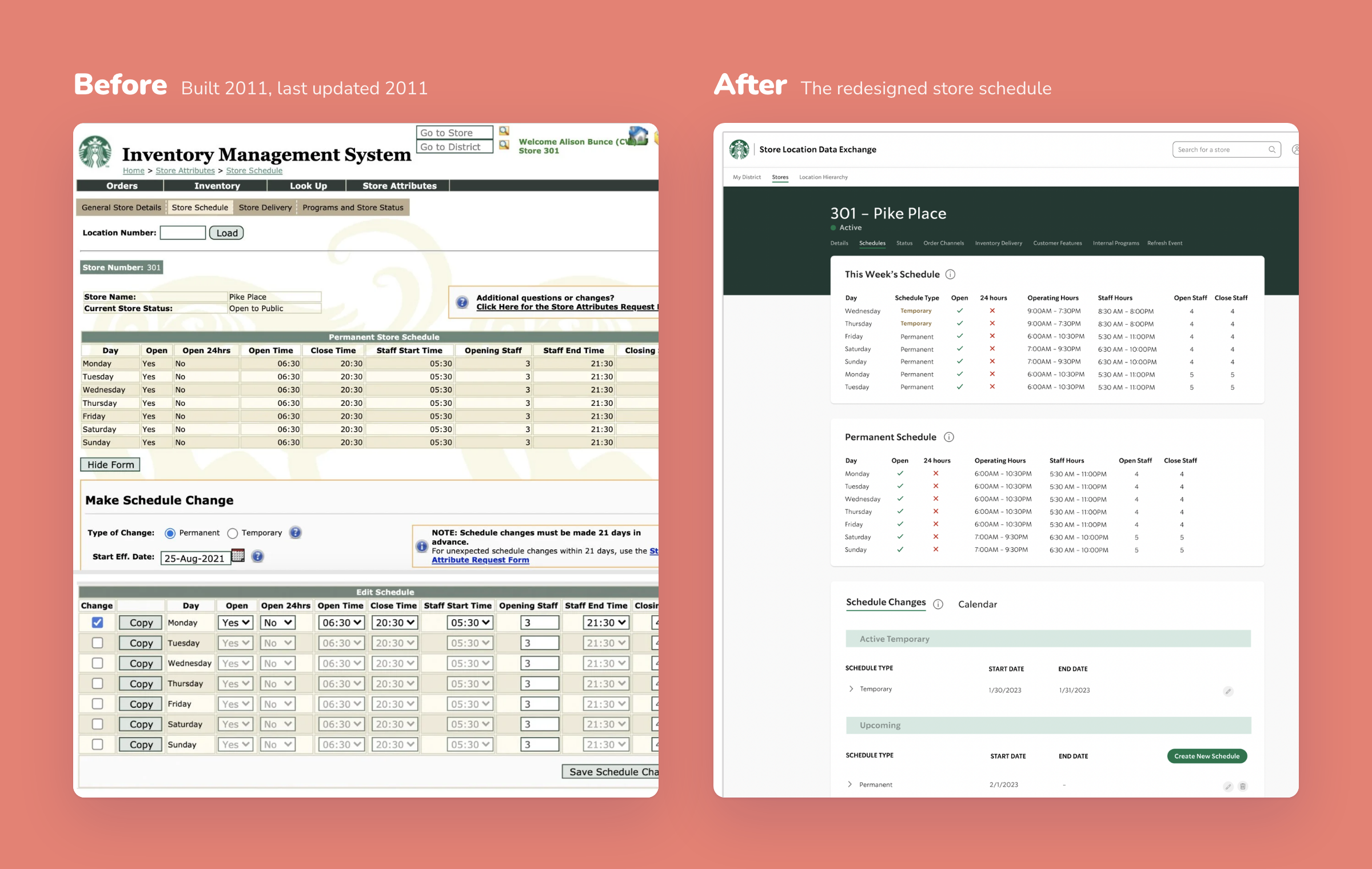
Behind every Starbucks counter is a store manager keeping hours, staffing and holiday changes up to date, in a tool that hadn’t changed since 2011. There was no history, copy and paste didn’t work properly, and every change meant working through a dense grid one day at a time. Over six months I led the redesign from a blank page to engineering handoff, working with a team of five and testing every round with 15 store managers across the country.
My Role
Lead Product Designer
Team
5 people: product, engineering, content
Timeline
6 months
Methods
User interviews
Usability testing
Competitive analysis
User flows
Wireframing
UI design
Design handoff
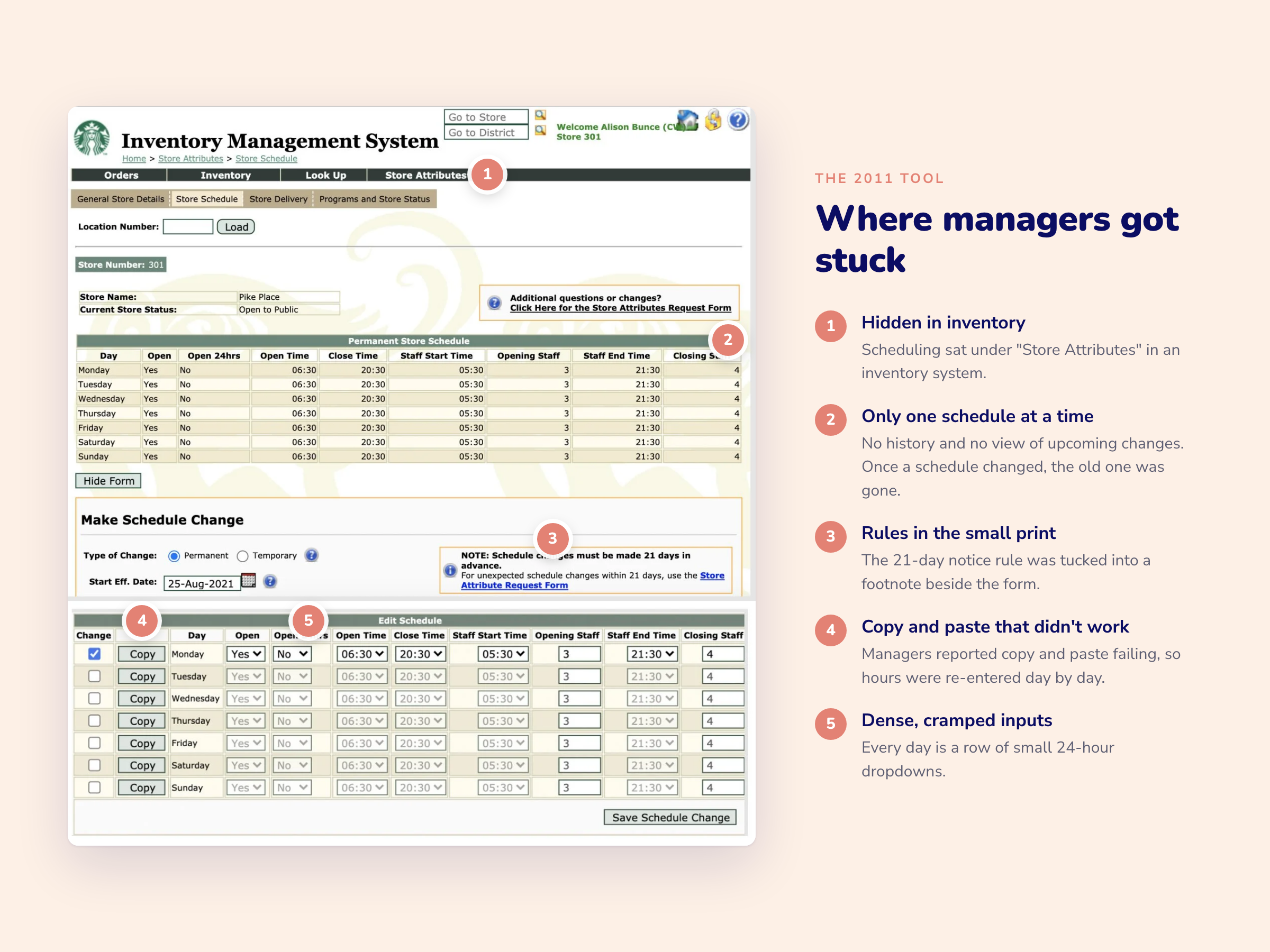
The 2011 tool and its five biggest problems
The Problem
Managers change their store’s schedule all the time: holidays, remodels, local events, seasonal staffing. The old tool made every one of those changes harder than it needed to be. Scheduling was buried in an inventory system, managers could only see one schedule at a time with no history, key rules like the 21-day notice period sat in the small print, and because copy and paste didn’t work, hours were re-entered day by day.
The goal: make it fast and reliable for managers to create, change and review their store’s schedule, on a modern platform engineering could keep building on.
Research
I spoke with 15 store managers from across the country, watched them work through real tasks in the old tool, and brought them back to test each prototype round. We had no dedicated research team, so I ran every session myself.
Learning from other tools
I looked at how Google Calendar, Calendly and Todoist handle viewing time, editing availability and scanning lists, and borrowed patterns managers would already recognise: a month view for upcoming changes, day-by-day editing, and light, scannable lists.

Google Calendar, Calendly and Todoist
What we heard
In each session I asked managers to complete real tasks in the old tool and talk me through what got in their way. A few of the questions, and what we heard back:
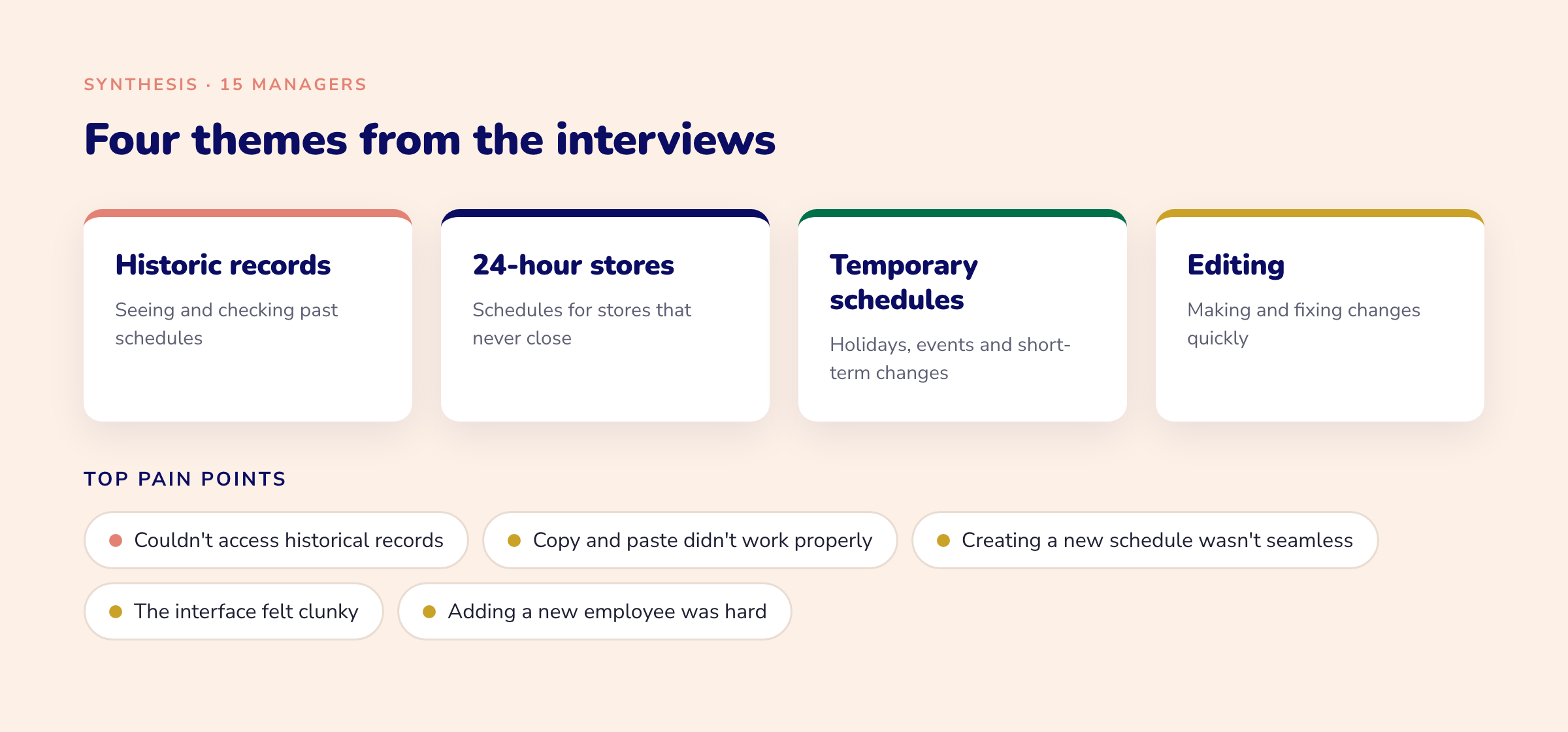
We put every observation on a sticky note, removed duplicates, and grouped what was left into four themes.
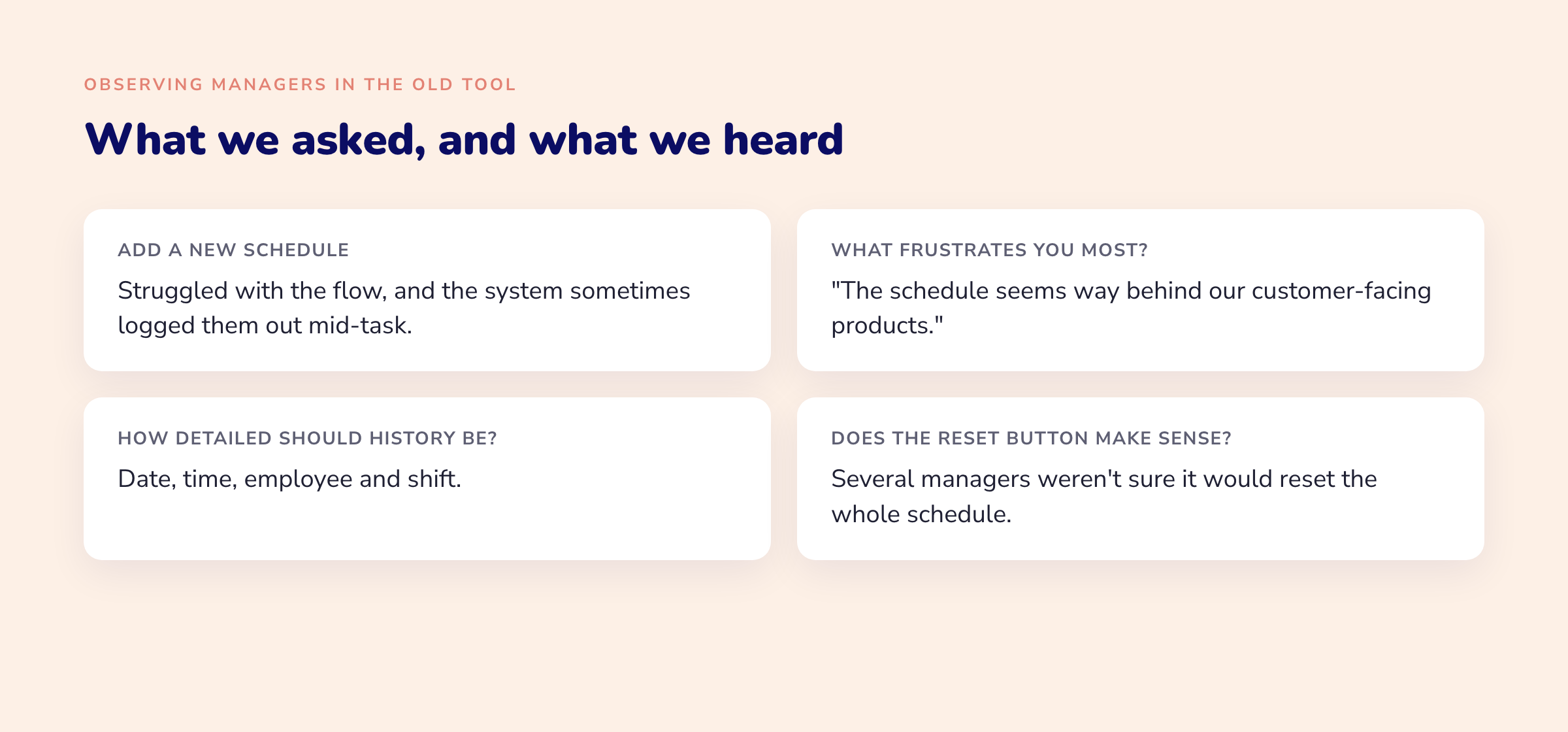
A few questions asked while I observed the managers
Mapping the flows
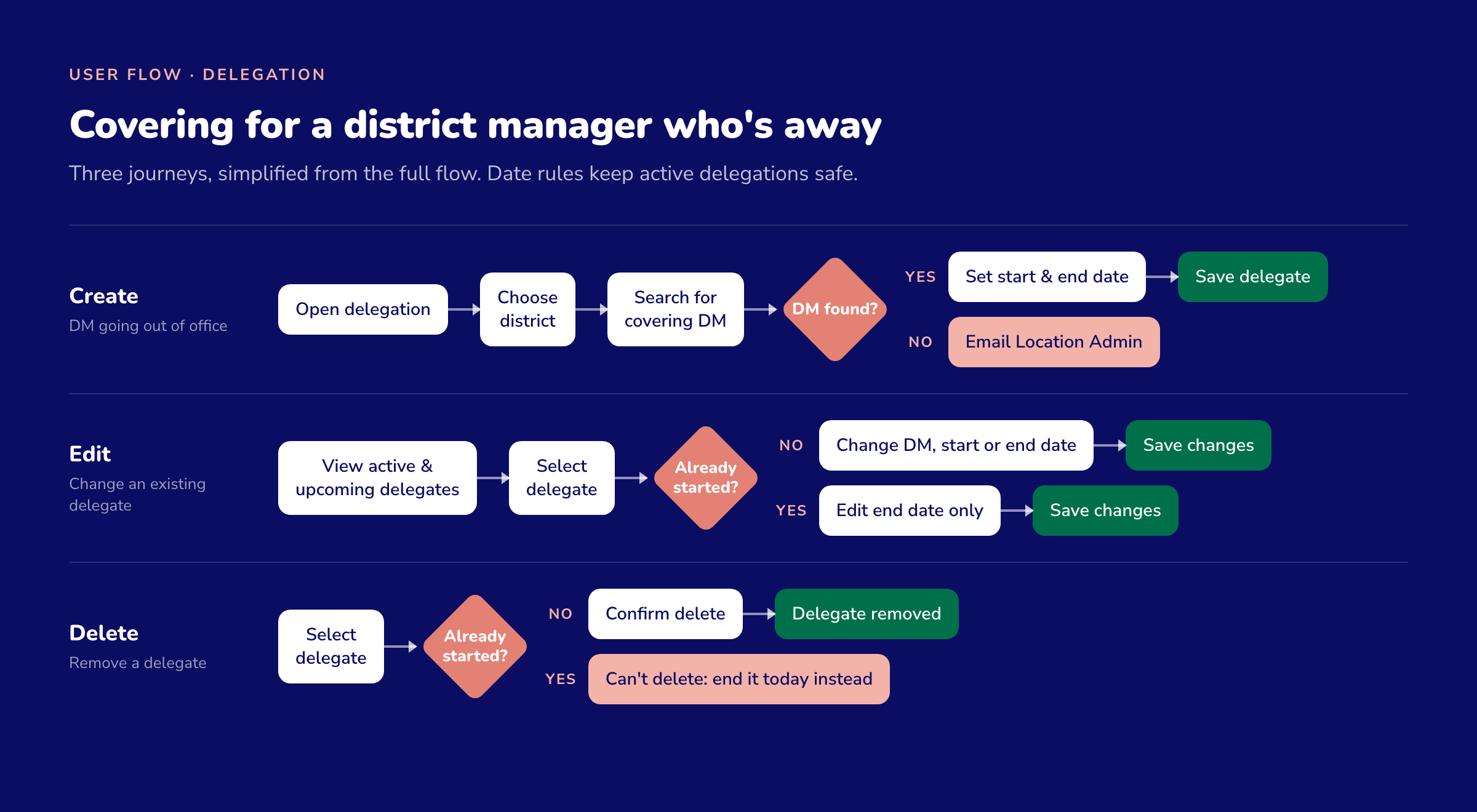
Delegation flows, simplified from the full map
Working with my product partner, I mapped how store managers and district managers would move through the new tool. One flow we hadn’t expected: district managers needed a way to hand their permissions to a colleague while they were out of office, with date rules so a delegation that had already started couldn’t be deleted by accident.
Wireframes

Wireframes we tested with managers before any visual design

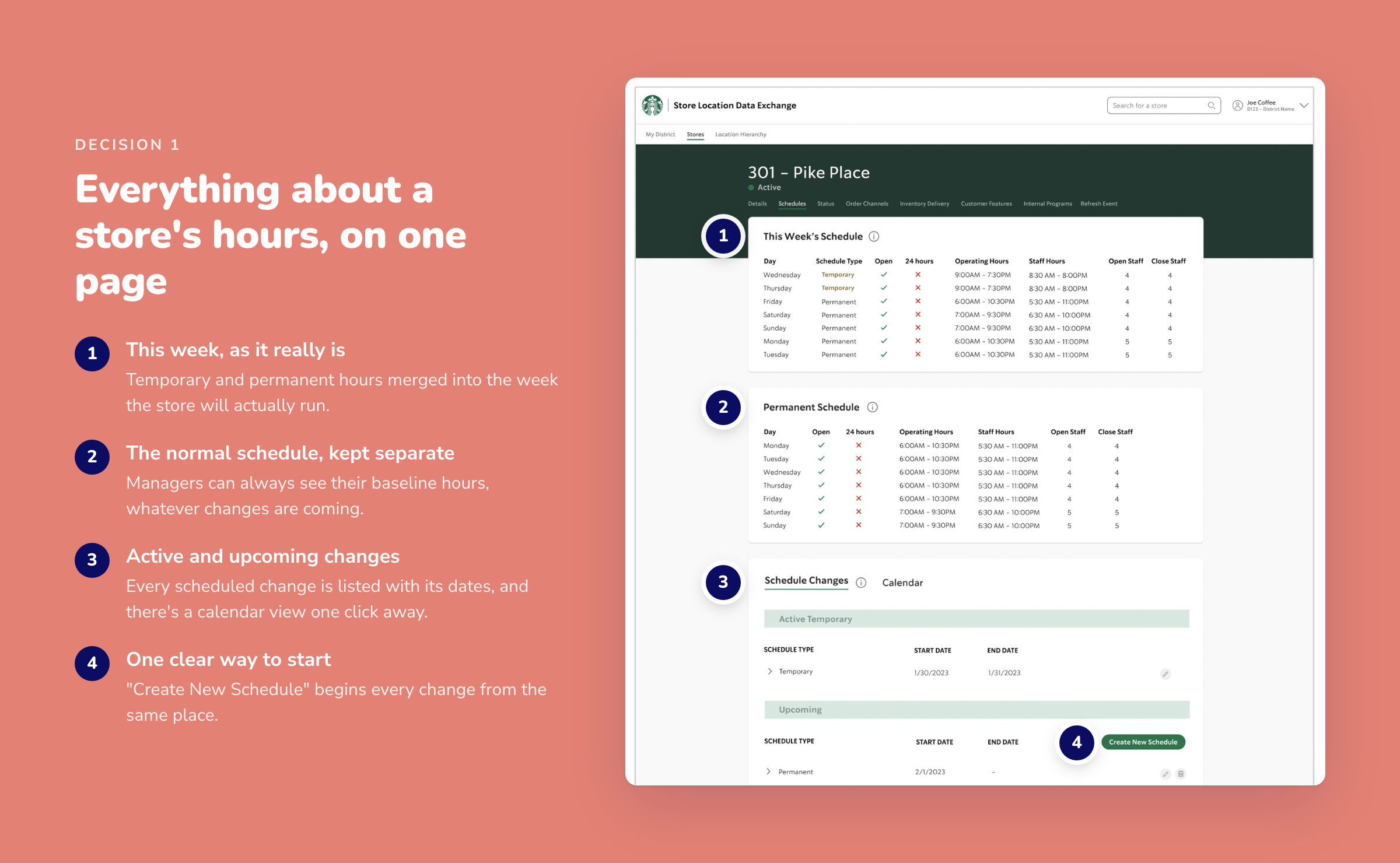
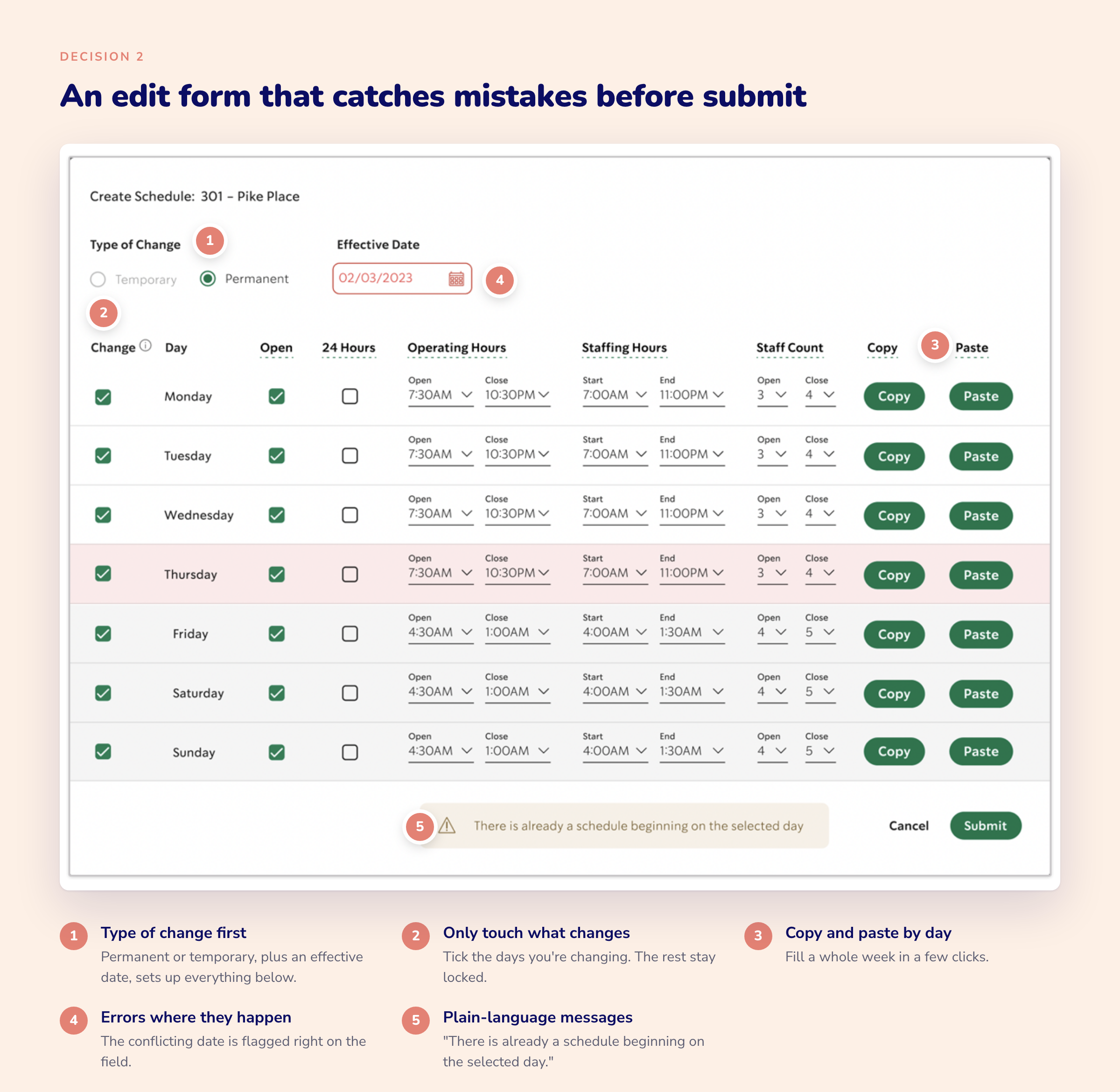
The redesigned store page and calendar

Impact
“I didn’t even recognize it as our scheduling tool. It’s beautiful, and it made me excited to use it.” Store manager, usability testing
“Coordinating holidays, temporary and permanent schedules is so much easier. It just feels more intuitive now.” Store manager, usability testing
Starting from scratch: Another designer’s early layouts didn’t match where the team wanted to go, so I started over. Talking to managers in the first weeks gave me the confidence to make big structural decisions quickly.
Research without a research team: With no dedicated usability team, I ran the sessions myself. Short, frequent check-ins with managers ended up shaping more decisions than a single big study could have.
What’s next: Managers clearly wanted to make changes from a phone or tablet on the shop floor. A mobile experience was out of scope for this release, and it’s the obvious next step.